You started with a clean, sensible kanban board: To Do, Doing, Done. It worked beautifully – until the work grew. Now that one board is tracking three clients, two people, a couple of internal projects, and whatever caught fire this morning. The columns are still there, but the Doing column is a wall of unrelated cards, and answering a simple question – what is happening for the Miller account right now? – means scanning the whole board and hoping you did not miss one.
The columns are not the problem. Columns tell you what stage a task is at. What you are missing is a way to see what stream it belongs to. That is exactly what a swimlane does.
What a swimlane actually is
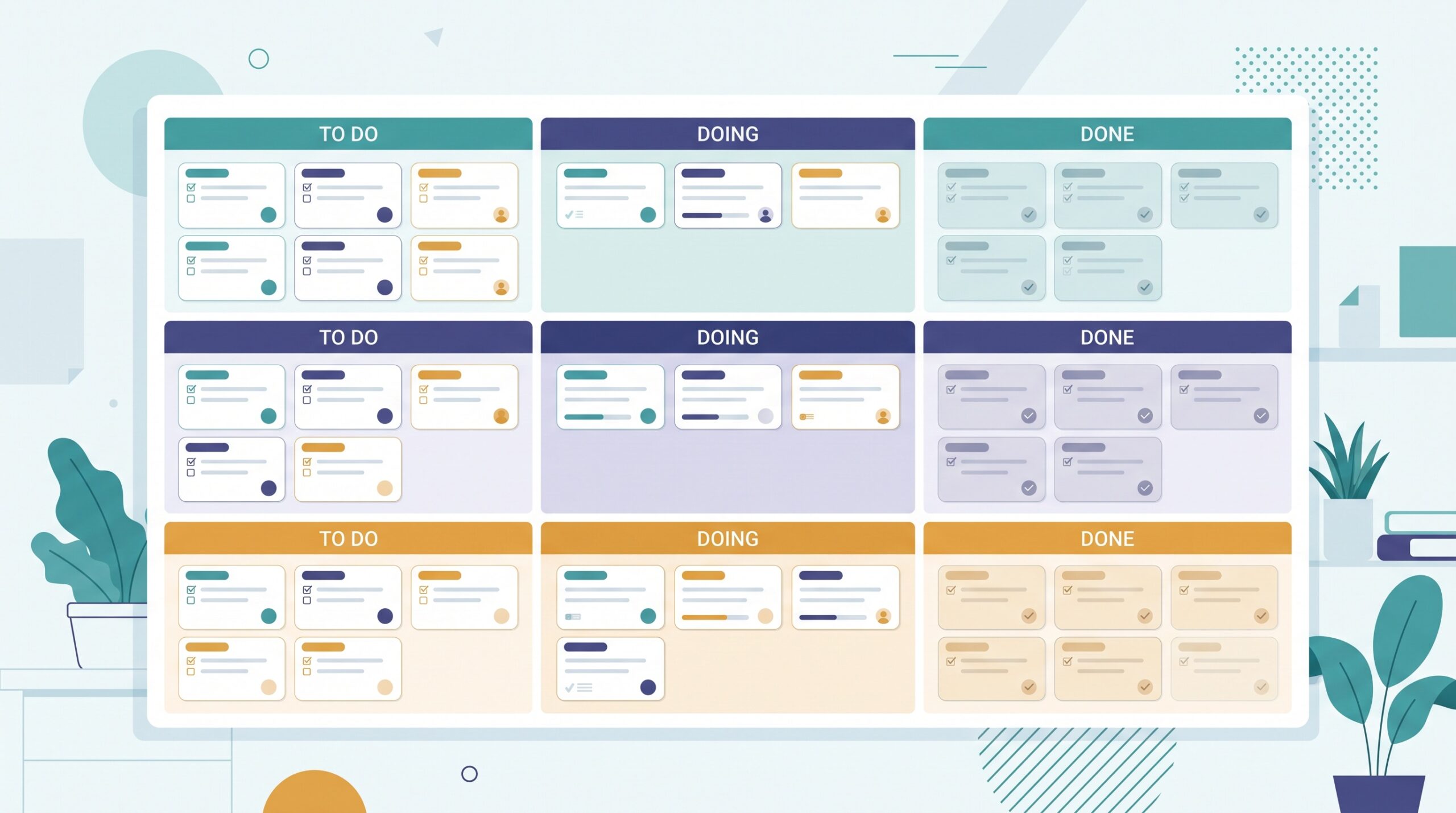
A swimlane is a horizontal row that runs across your existing columns. Your columns still go left to right – To Do, Doing, Done – but now the board is also sliced top to bottom into lanes, and every card lives in one of them. A card can move sideways through the stages as usual, but it stays in its lane the whole time.
Think of it like a swimming pool. Everyone is swimming toward the same wall (Done), but each swimmer stays in their own lane so nobody crashes into anybody else. On a board, that means the three cards for the Miller account sit together in the Miller lane, the design work sits in the design lane, and you can read one row at a time instead of squinting at the whole pool at once.
The problem swimlanes solve
A single stream of work does not need lanes. A freelancer with one project or a team doing one kind of task is fine with plain columns. Swimlanes earn their place the moment your board is carrying parallel streams that keep getting tangled.

The tell-tale signs are familiar. You catch yourself colour-coding cards just to tell clients apart. Standups drift because everyone has to hunt for their own cards in the pile. A card slips through because it was visually buried among a dozen others at the same stage. Someone asks for a quick status on one project and you cannot give it without a two-minute search. Each of those is the same underlying issue: the board shows stage, but not ownership. Lanes add the missing dimension – and because the eye reads a row instantly, they add it for free.
The four most useful ways to split your lanes
There is no single correct way to draw lanes. The right split is simply the question you find yourself asking most about the board. Four patterns cover almost every small team.
By client or project. The most common choice for agencies, freelancers, and anyone juggling accounts. One lane per client means you can answer “where does the Miller job stand?” in one glance, and a client screen-share only ever shows their row.
By team member. A lane per person turns the board into an instant workload map. You can see at a glance that Sam has four cards in progress and Priya has one, which makes uneven load obvious before it becomes burnout or a missed deadline.
By type of work. Group cards by the kind of task – say, client work, admin, and marketing. This is powerful for owner-operators, because it makes visible how little time is actually going to the work that grows the business versus the work that just keeps the lights on.
By priority. A simple “must happen this week” lane above a “nice to have” lane keeps the important work physically at the top of the board where you look first. Pick the one dimension that answers your most frequent question – and resist splitting by two things at once, which we will come back to.
Give urgent work its own lane
One special lane is worth adding no matter how you split the rest: the expedite lane. This is a single row, usually at the very top, reserved for genuinely urgent work – the client emergency, the broken checkout, the thing that truly cannot wait for its normal turn.
The expedite lane does two jobs. It gives real emergencies a clear, visible home so they get handled fast, and – just as importantly – it keeps them out of the normal lanes, so a single fire does not scatter your whole board. The rule that makes it work is discipline: the expedite lane stays almost always empty. If it holds three cards, then nothing is really urgent, and you have just recreated the chaos you were trying to escape. Keep the bar high, and one glance at that top row tells you whether today is calm or on fire.
Start small and keep the lanes honest
The most common swimlane mistake is enthusiasm. Someone discovers lanes and carves the board into ten of them – by client and by person and by priority – and within a week nobody can tell which lane a new card belongs in, so the whole system quietly gets abandoned.
Start with two or three lanes and only add another when a real question demands it. A few rules keep them useful. Every card gets exactly one home – if a task could live in two lanes, your split is trying to answer two questions and you should pick one. Give each lane its own work-in-progress limit, so one busy client cannot quietly eat all your capacity. And once a week, read the board one lane at a time: an entire row that has not moved is a stream you have been neglecting, and it will jump out at you far faster than a stalled card ever would in a single crowded column.

When to skip swimlanes entirely
Lanes are a tool, not a badge of a serious board, and they are not always the answer. If your board is calm and single-threaded, they add structure you do not need. If you find yourself wanting a lane per client and you have thirty clients, the honest fix is usually a separate board per client, not thirty rows on one. And if a card genuinely refuses to sit in a single lane, treat that as a signal that the way you have sliced the board no longer matches the work – and redraw the lanes rather than forcing the card.
Used with a light hand, though, swimlanes are one of the highest-value changes you can make to a growing board. They take a wall of cards that all blur together and turn it into a set of clean, readable streams you can take in at a glance. If your board has quietly outgrown its columns, a simple kanban tool that lets you add a lane and drag cards between rows in seconds makes the whole thing a five-minute habit – and gives you back the one thing a busy board keeps stealing: a clear answer to “what is actually going on here?”